Change Log

Follow new updates and improvements to ShoeCatch.

ShoeCatch 1.4.0

v1.4.0 adds Favorites and improves Canvas moves, account and credit information, collaboration, Community copying, and price displays.

โœจ New

Starred

  • Add or remove a Canvas from Favorites in the file list or inside the Canvas. Find saved files in the sidebar.

  • Sort Favorites by Last modified or Date created. Changes stay in sync across both views.

โšก๏ธ Improvements

Canvas movement

  • Move a Canvas to a shared space, private space, or folder in the current workspace.

  • When moving between shared and private spaces, review the access-change confirmation. File and folder lists update after the move.

Account and credits

  • See your email, plan, and credit information in the sidebar account menu. Billing settings are available when your role permits access.

  • Credit balances update consistently on the Canvas and in the account menu. Free-plan Owners can open plan selection from the upgrade card.

Community and collaboration

  • A copied Community Canvas now opens in the current window.

  • After reconnecting, a shared Canvas restores collaborator presence and cursor states.

๐Ÿ› ๏ธ Fixes

  • Corrected the included-credit amount shown on the website Pricing and FAQ pages to 2,000 credits.

NewImprovedFixed

ShoeCatch 1.3.0: Community, Trash, and Notifications

ShoeCatch 1.3.0 is now available.

Explore public Canvas workflows in Community, restore deleted canvases from Trash, and manage workspace updates from the new Notification Center.

โœจ New

Community

  • Explore public Canvas workflows shared by other users.

  • Open a community Canvas in read-only mode and copy it to your workspace.

Trash

  • Deleted canvases are kept in Trash for 30 days.

  • View who deleted each Canvas and when it was deleted.

  • Restore a Canvas or delete it permanently.

Notification Center

  • View, open, mark as read, or delete workspace notifications.

  • Use action buttons within notifications or move directly to the related page.

  • Notifications for expired or completed invitations now show the current status.

โšก๏ธ Improvements

Canvas Sync

  • Canvas changes are synchronized again after reconnecting to prevent differences between collaborators.

  • Renaming a node now updates its name in the generation history.

Canvas Controls

  • Credit status is now easier to identify, and users with permission can open billing settings from the credit area.

  • Improved collaborator selections and scrolling in the model selection menu.

ShoeCatch Website

  • Added Blog links to the desktop and mobile navigation.

๐Ÿ› ๏ธ Fixes

  • Fixed an issue where split images inside a group could appear in the wrong position.

  • Fixed an issue where Canvas shortcuts could stop working after entering Korean text.

  • Fixed an issue where some menus did not load additional items.

Thank you for using ShoeCatch.

The ShoeCatch Team

NewImprovedFixed

ShoeCatch 1.2.0 Update: Generation Options and Canvas Templates

ShoeCatch 1.2.0 is now available.

This update adds generation model options, Canvas templates, node locking, and new account and workspace controls.

See whatโ€™s new below.

โœจ New

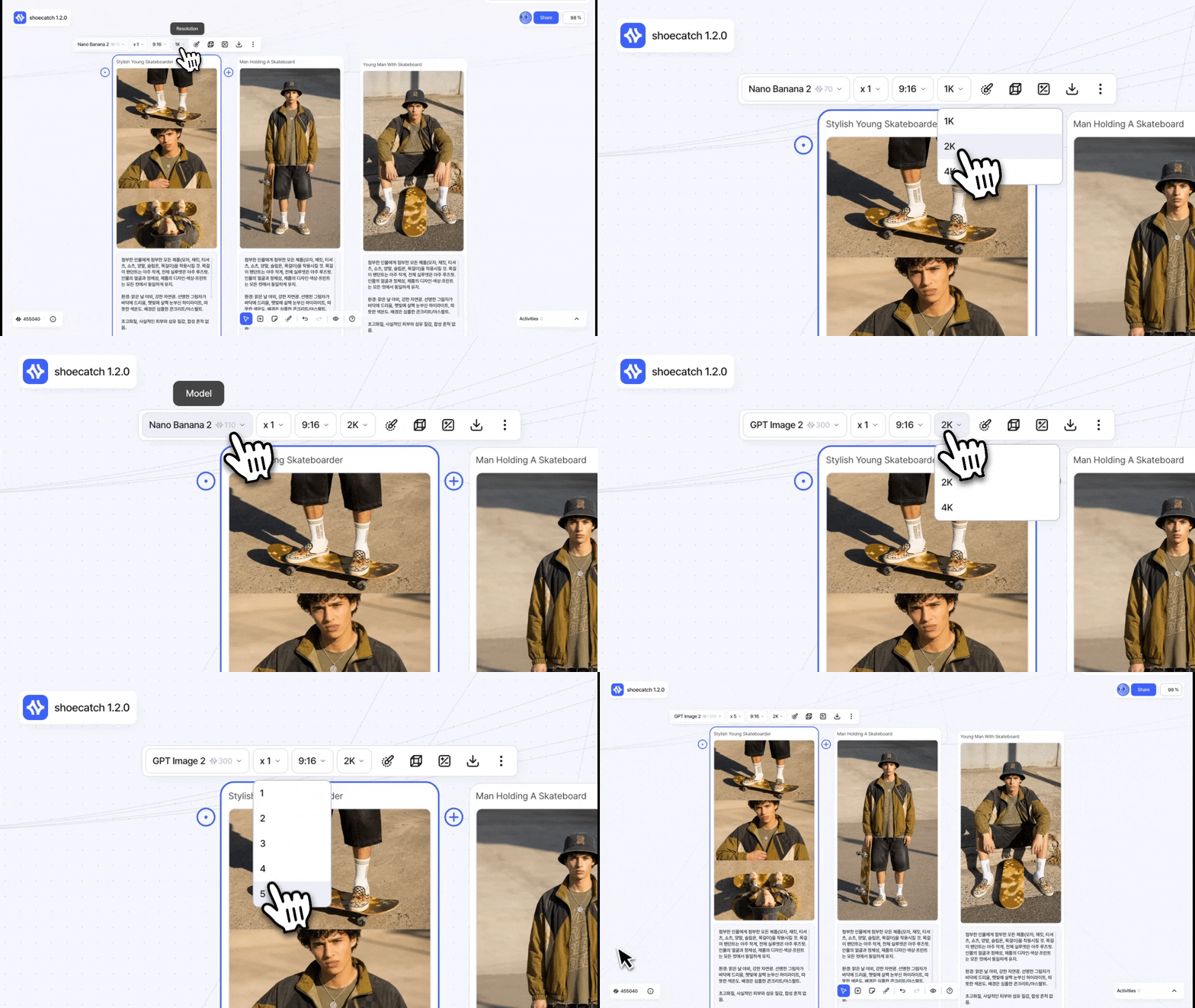
Generation Model Options

  • Choose the aspect ratio, resolution, and video duration supported by each image or video model.

  • View the estimated credit cost based on your options and number of results.

  • When switching models, the options automatically change to the closest supported combination.

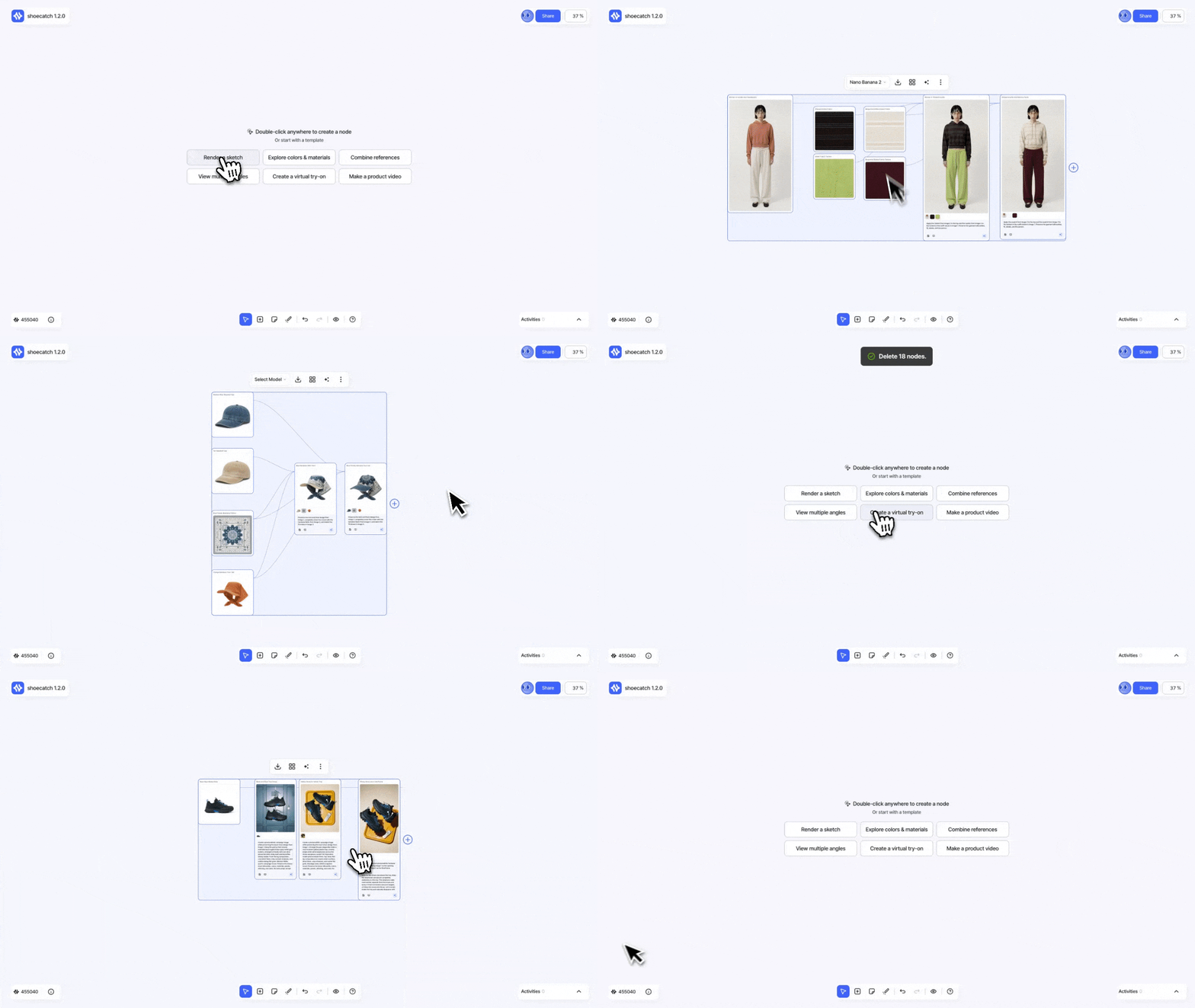
Canvas Templates

  • Start a blank Canvas with one of six templates: Sketch Rendering, Color and Material Change, Reference Combination, Multi-Angle, Virtual Try-On, or Product Video.

  • Templates are available in English and Korean.

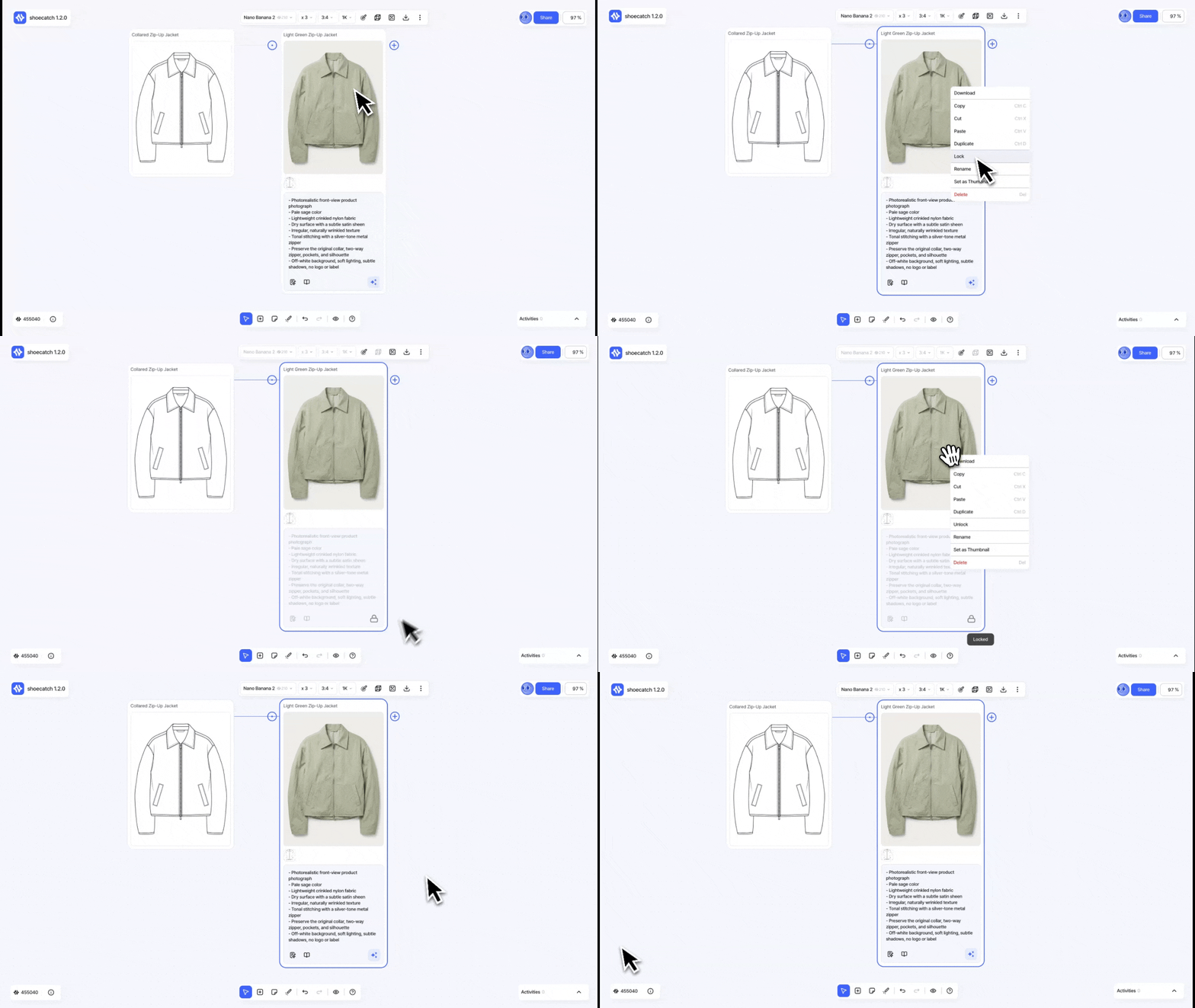
Node Locking

  • Lock generation nodes to prevent editing, option changes, and generation.

Credit Notifications

  • A notification card appears when workspace credits are depleted or a usage limit is reached.

  • Depending on your permissions, you can manage credits directly or request help from an Owner or Admin.

Workspace Ownership and Deletion

  • Transfer workspace ownership to another member.

  • Delete a workspace and transfer its remaining credits to another workspace.

Account Deletion

  • Delete your account after completing email verification.

  • Workspace owners are guided through ownership transfer and active plan checks before leaving.

Thank you for using ShoeCatch.

The ShoeCatch Team

NewImprovedFixed

Earlier updates