Official Realese 1.0.0 🎉
v1.0.0 introduces three new AI models, Omni Flash, Nano Banana 2 Lite, and Wan 2.7 Pro, along with Plans & Billing, new real-time collaboration tools, a redesigned canvas editing experience, AI Quotation on Canvas, and Dark Mode across ShoeCatch.
🤖 Model
Omni Flash
A video generation model that transforms attached images into smooth and coherent videos.
Grounded in Gemini’s understanding of physical movement and scene dynamics.
Nano Banana 2 Lite
An ultra-fast and cost-efficient image generation model.
Designed for rapid prototyping and real-time interactive workflows.
Ideal for quickly exploring and iterating on visual ideas.
Wan 2.7 Pro
A professional image editing and transformation model that precisely follows text instructions.
Ideal for detailed edits and controlled image transformations using natural language.
✨ New
Plans & Billing
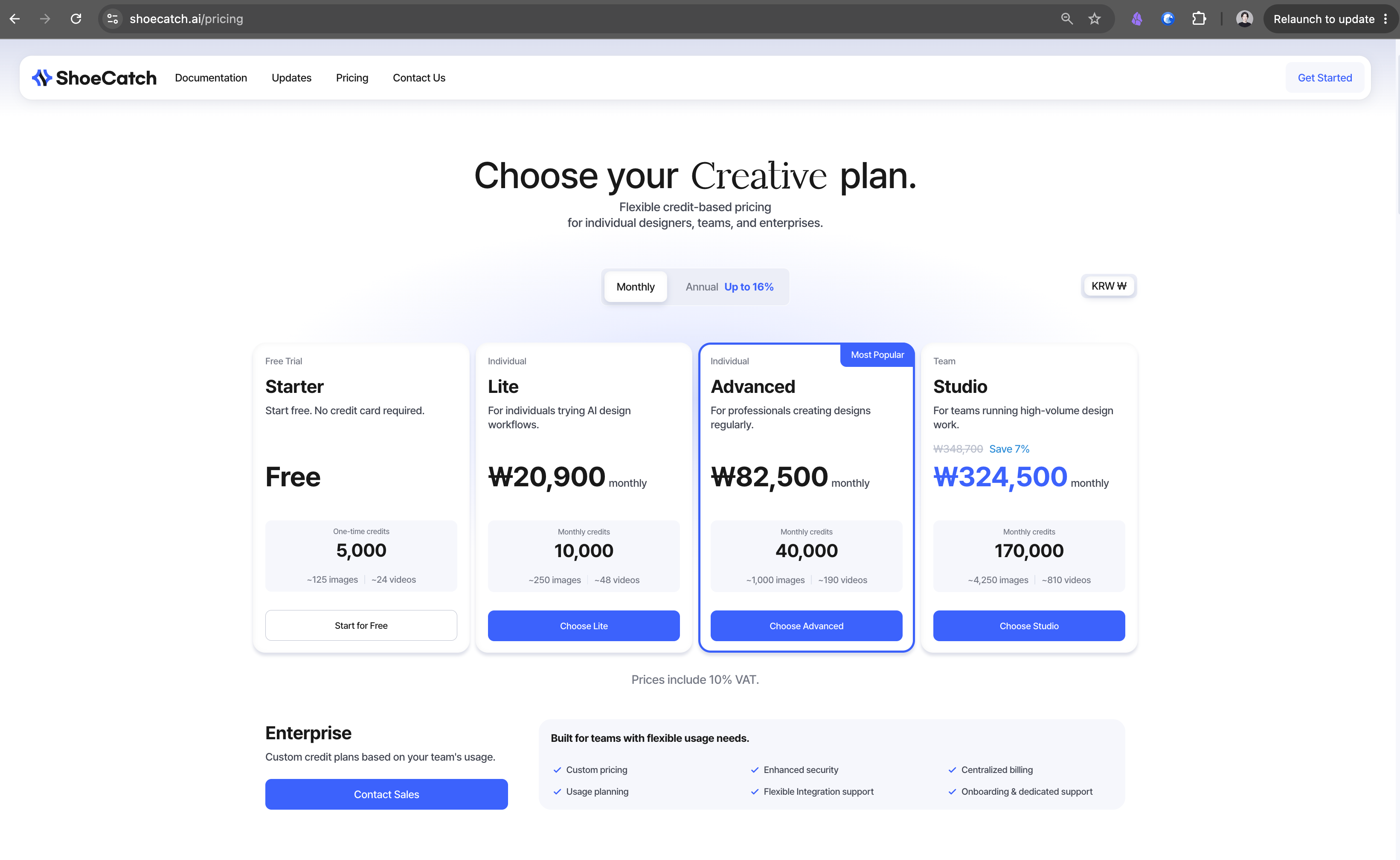
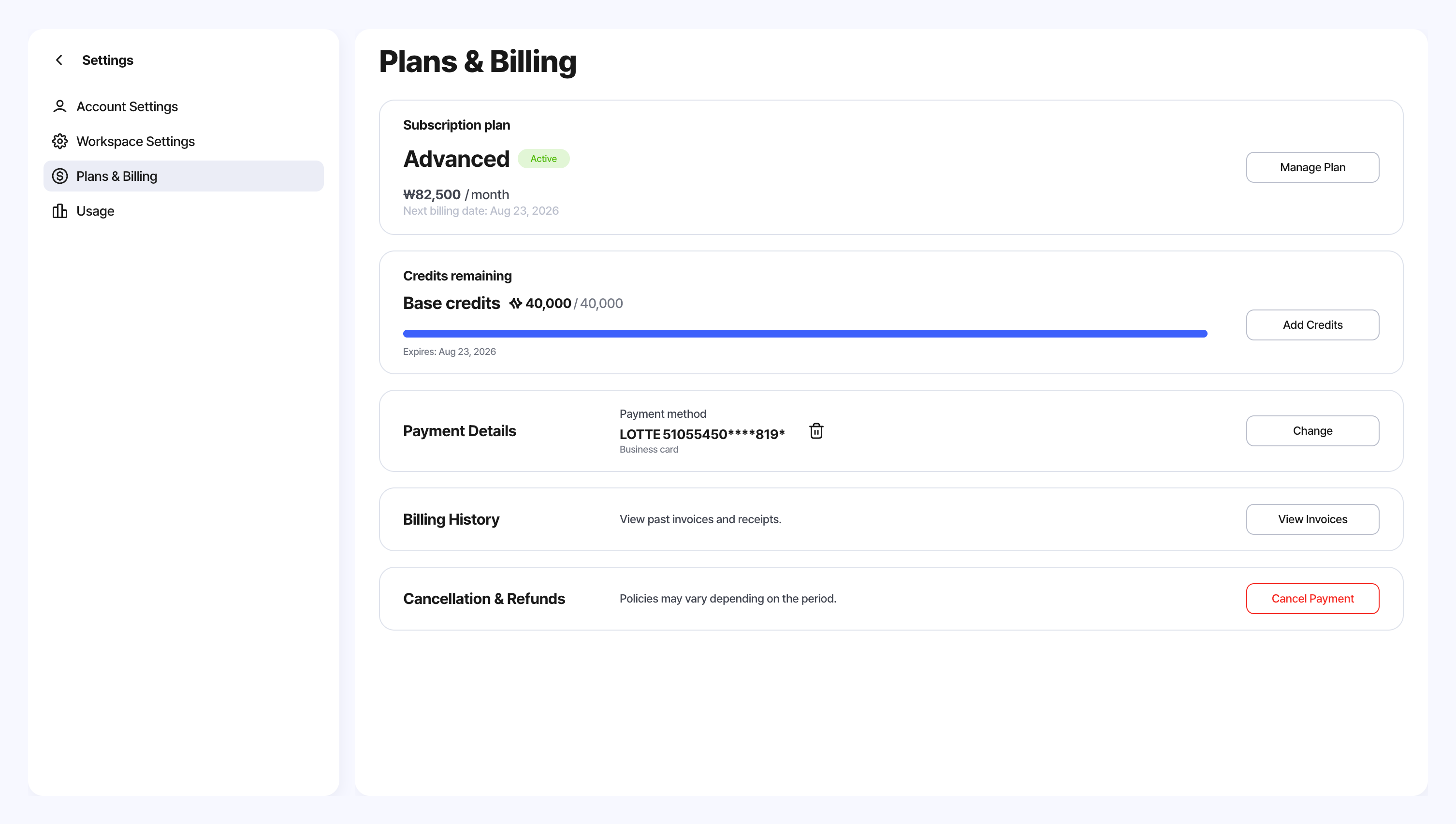
View your current plan, payment status, next billing date, and credit balance in Workspace Settings.
Compare monthly and annual Starter, Lite, Advanced, and Studio plans before switching.
Upgrades apply immediately, while downgrades and billing cycle changes can be scheduled for the next billing date.
Purchase additional credits and manage your payment methods.
Review payment and refund history, and download invoices and credit notes.
Retry failed subscription payments or review the expected refund amount before canceling.
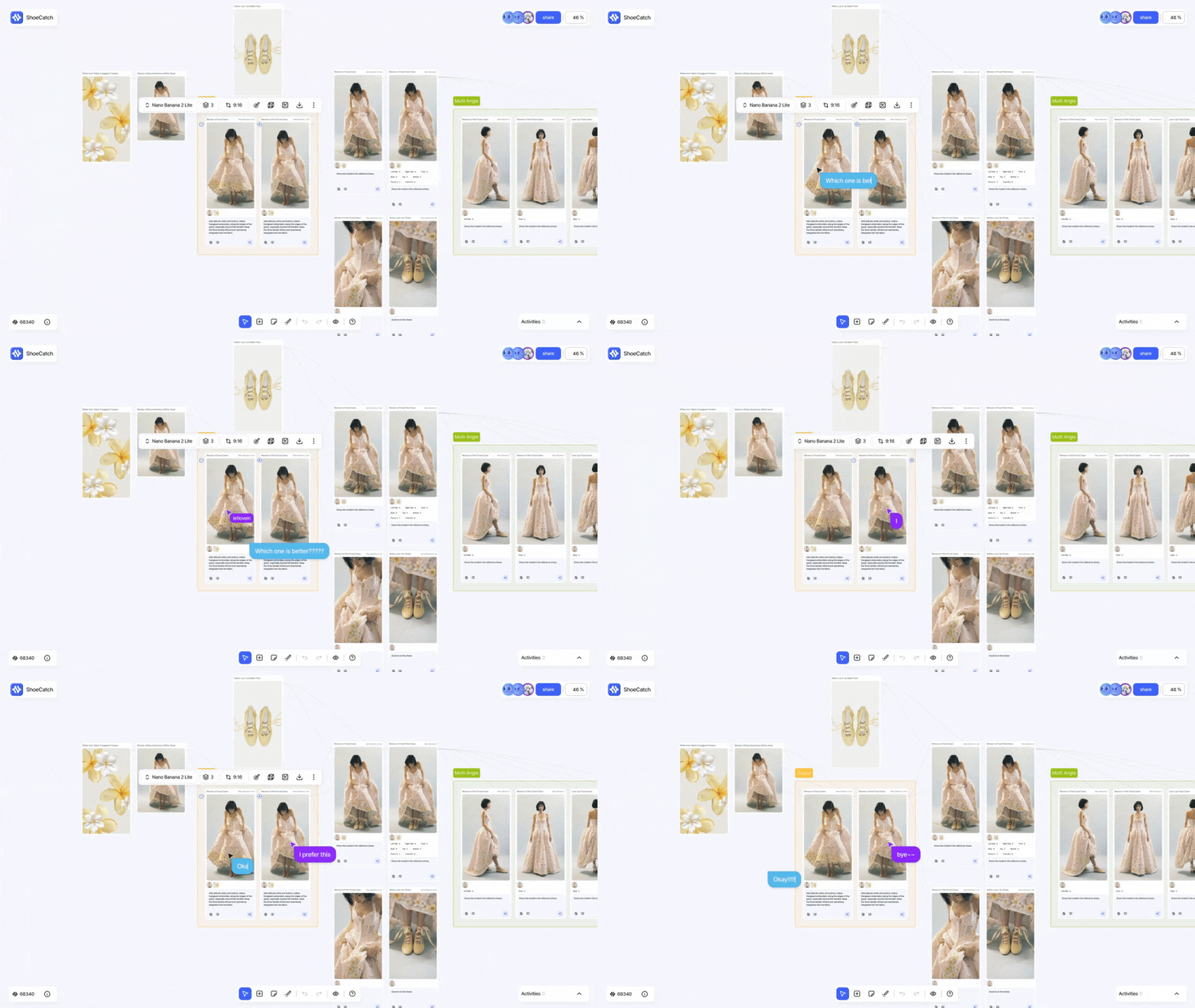
Cursor Chat
Press
/anywhere on the canvas to start a conversation at your current cursor position.Messages are shared with collaborators in real time.
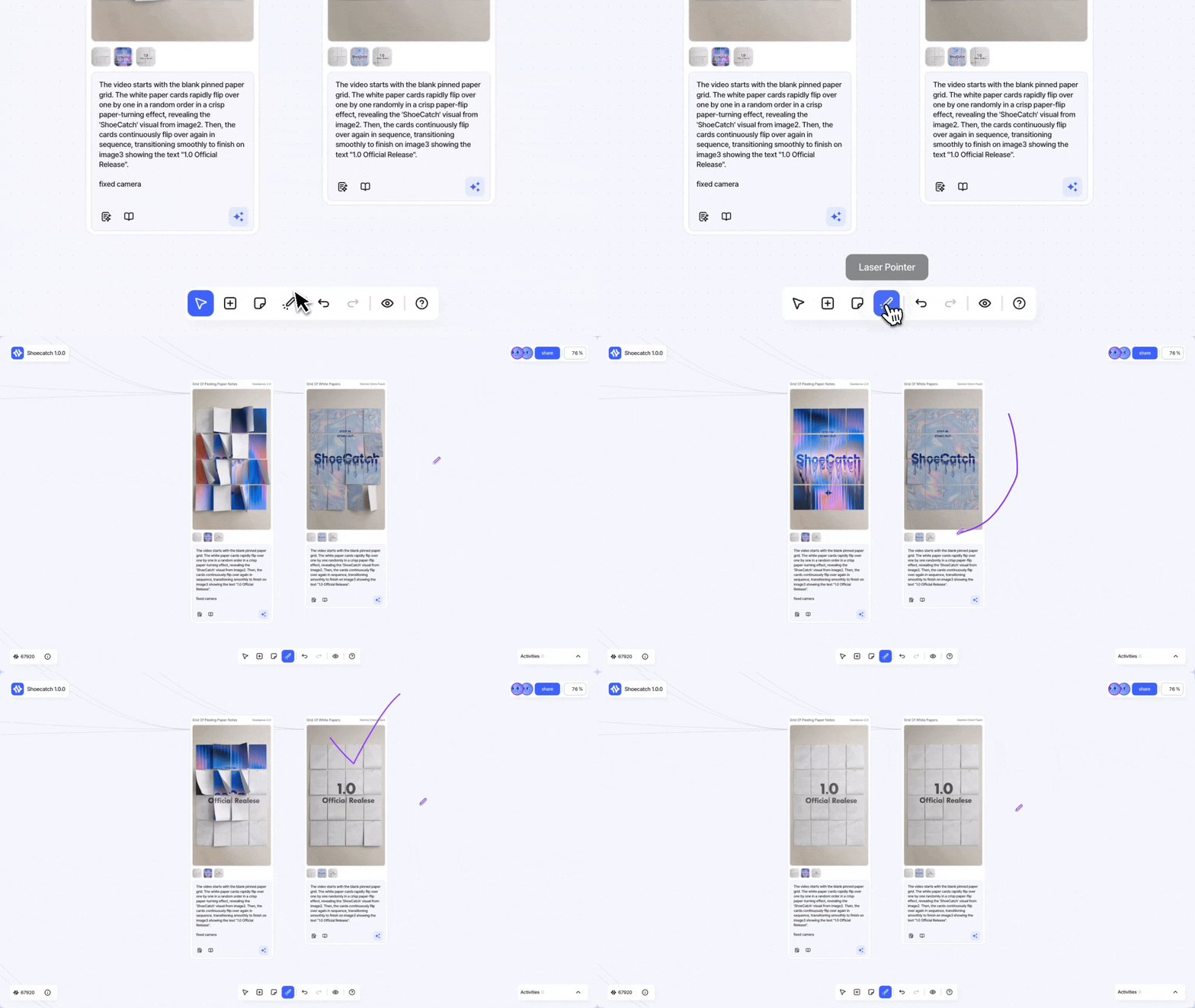
Laser Pointer
Point to specific areas of the canvas while presenting or collaborating with teammates in real time.
Focus Contrast
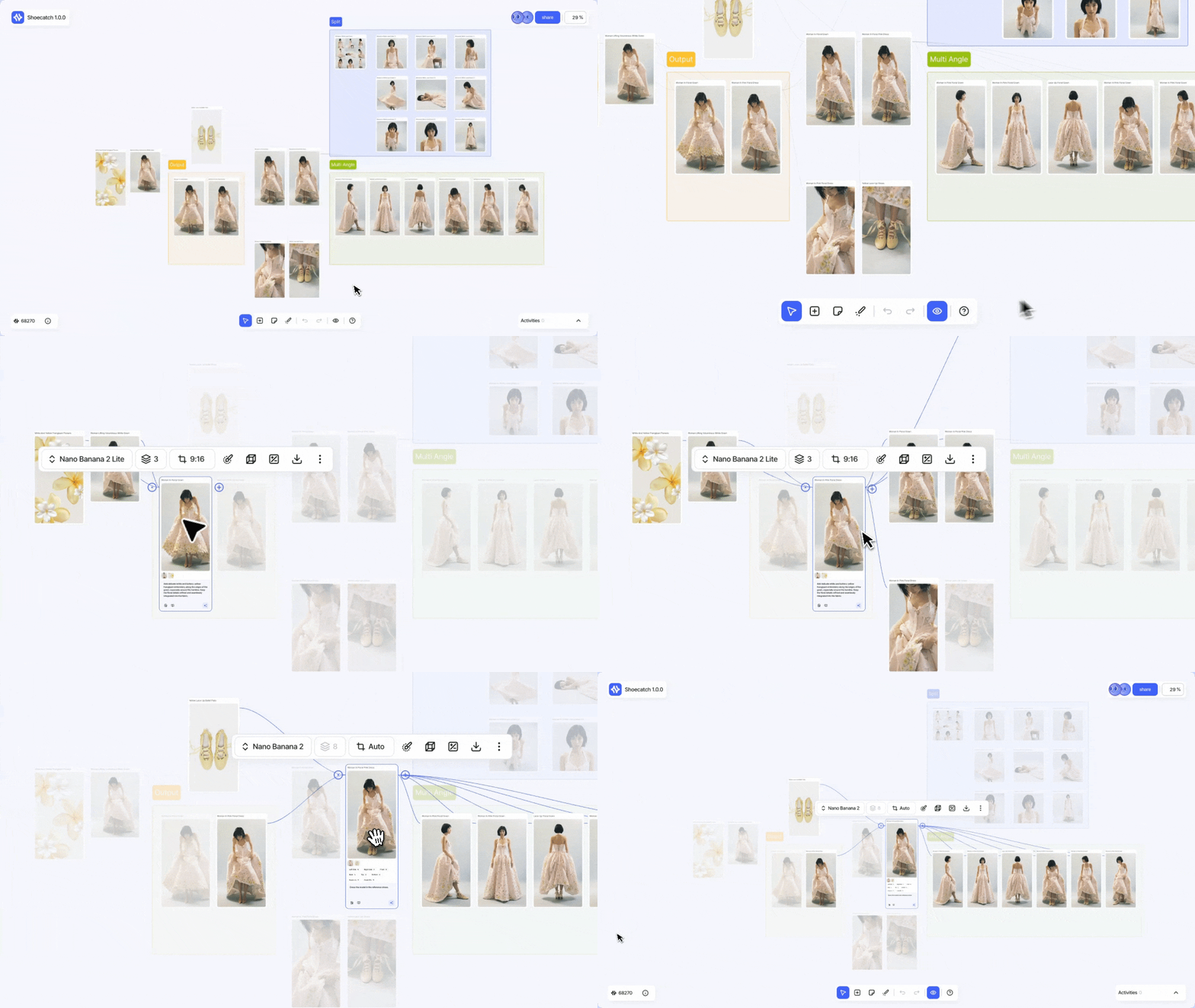
Focus on a selected node by highlighting only the nodes and connections directly related to it.
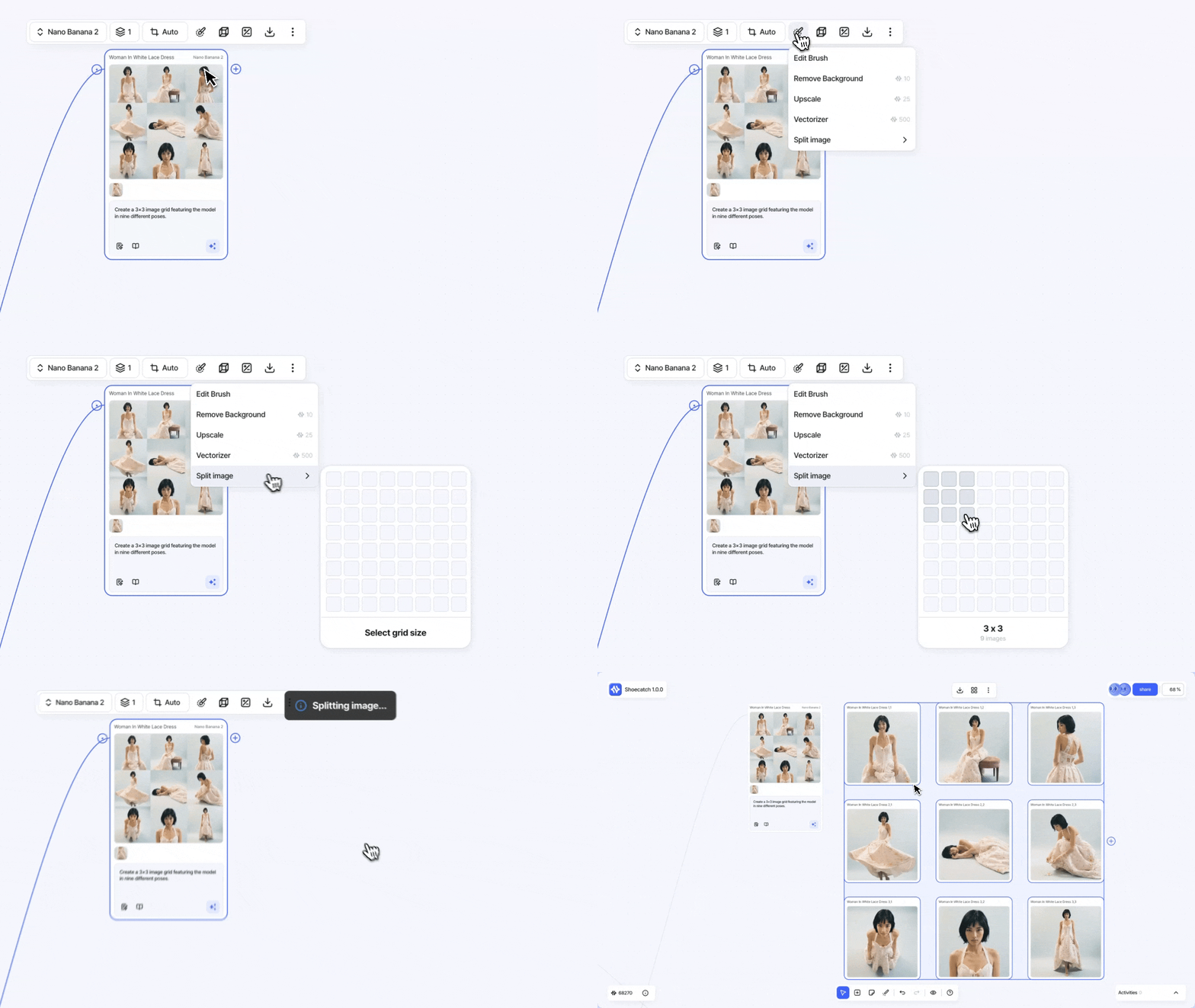
Split Image
Split an image into a custom number of rows and columns.
Each result is automatically placed next to the original as a separate upload node.
AI Quotation on Canvas
Start an AI Quotation analysis directly from an image node.
Track its progress and review quotation details without leaving the canvas.
Dark Mode
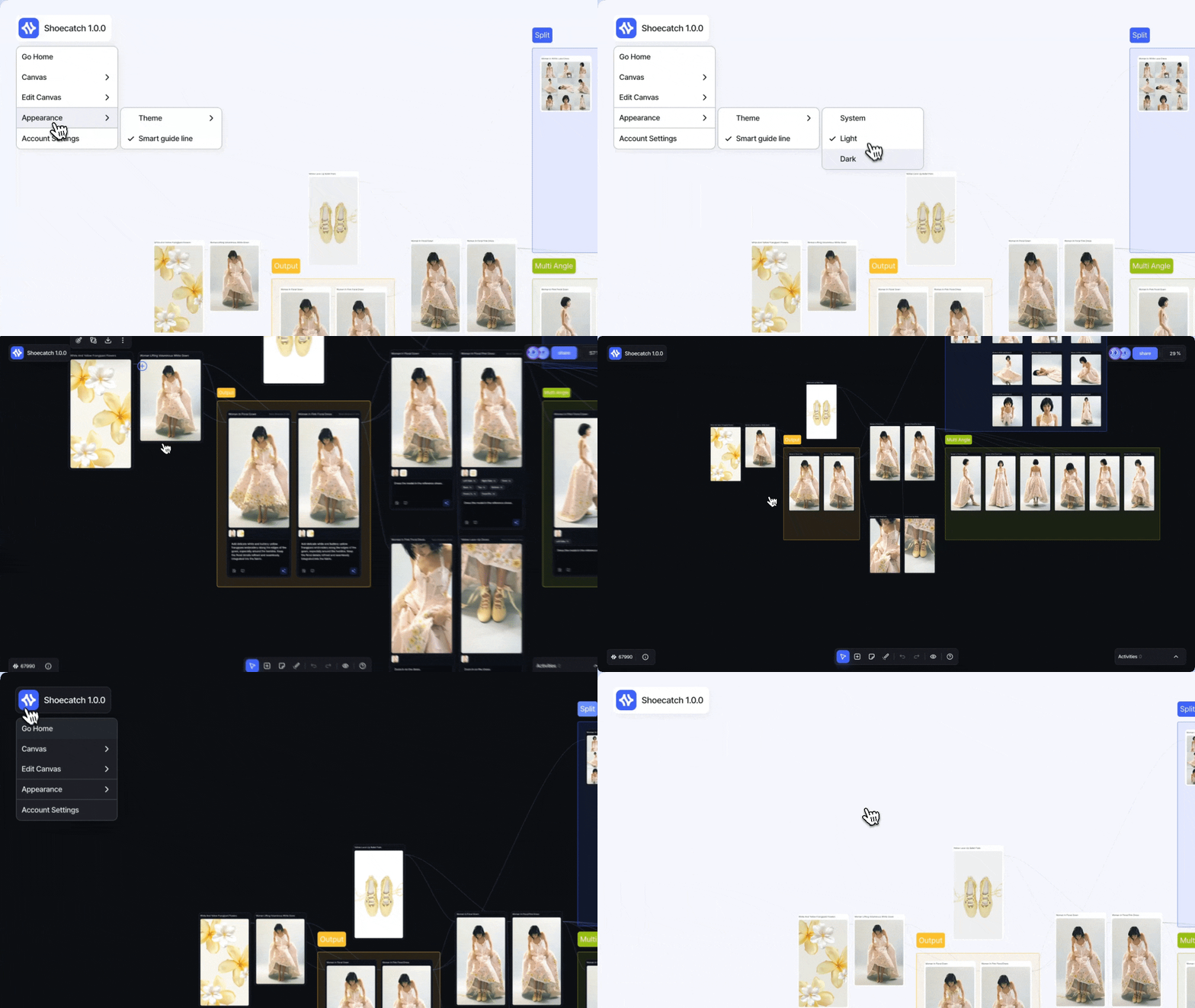
Choose between Light, Dark, and System themes from Account Settings or Canvas Appearance.
Dark Mode is now available throughout the canvas, workspace, History, Usage, Plans & Billing, and AI Quotation screens.
⚡️ Improvements
Canvas editing
Arrange multiple nodes vertically, horizontally, or in a grid.
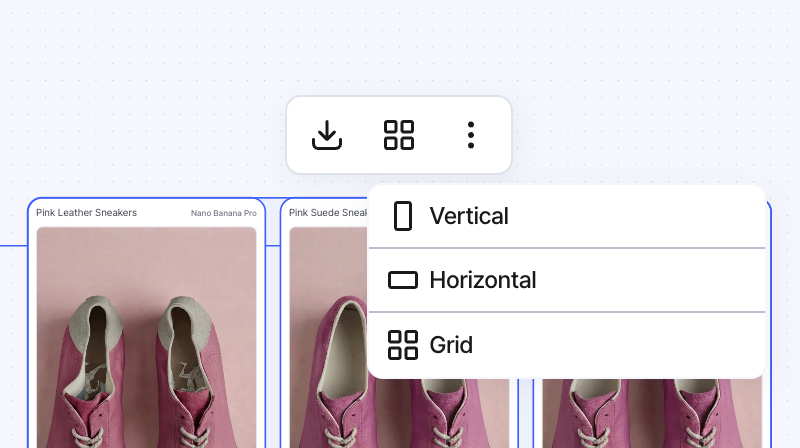
Added smart guides and alignment snapping for more precise placement.
Performance
Large canvases now feel smoother while panning, zooming, dragging, and resizing.
Improved real-time connection stability when switching between canvases or returning to the app.